Chrome //
Extensions
Chrome //
Extensions  Chrome
Web store
Chrome
Web store Silk - Privacy Pass Client Chrome Extension


-
Chrome Extension Page
-
Total Number of Extension users:400K +
-
Reviewed by :691 Chrome Users
-
Author Name:
-
['ask-research@cloudflare.com', 'Cloudflare Research']
 This extension provides unlinkable cryptographic tokens for websites that support the Privacy Pass protocol. For example, these tokens can be used on Cloudflare-protected websites to improve your human signal.

How it works?

Privacy Pass Providers: Cloudflare Research

Get tokens
1. If a website requests a Privacy Pass token, the extension is automatically going to request you to perform the associated challenge.
2. One page will open with a challenge to be solved.
3. Solve successfully the challenge and the extension will get **one** token.

See FAQs and Known Issues section: if something is not working as expected.
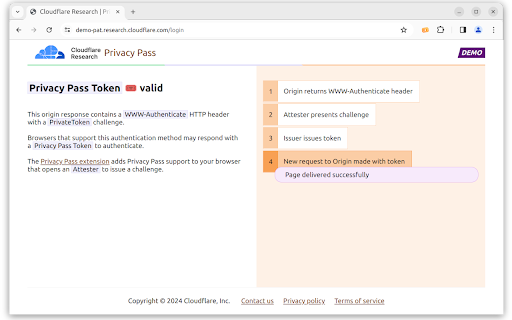

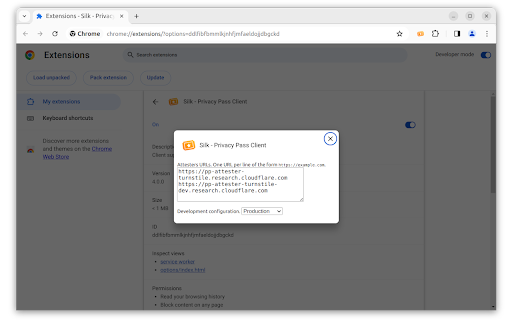
How to install Silk - Privacy Pass Client chrome extension in chrome Browser
You can Follow the below Step By Step procedure to install the Silk - Privacy Pass Client Chrome Extension to your Chrome Web browser.
- Step 1: Go to the Chrome webstore https://chrome.google.com/webstore or download the extension Silk - Privacy Pass Client Chrome Extension Download from https://pluginsaddonsextensions.com
- Step 2: Now search for the Silk - Privacy Pass Client in Chrome Webstore Search and click on the search button.
- Step 3: click on the Silk - Privacy Pass Client Chrome Extension Link
- Step 4: in the next page click on the Add to Chrome button to Download and Install the Silk - Privacy Pass Client extension for your Chrome Web browser .
Silk - Privacy Pass Client Chrome extension Download
Looking for a method to Silk - Privacy Pass Client Download for Chrome then this download link is for you.It is the Silk - Privacy Pass Client Chrome extension download link you can download and install Chrome Browser.
Download Silk - Privacy Pass Client chrome extension (CRX)
-
Solves those tricky authorization text filled images in web pages (CAPTCHAs) instead of you.
-
Automatically clicks reCAPTCHA buttons when detected
-
I'm not robot captcha clicker
-
Shows an orange cloud in the omnibar when you are browsing a site that uses Cloudflare
-
Block explorer and anonymous crypto portfolio tracker for Bitcoin, Ethereum, and others in your browser
-
Verify Google ReCaptcha V2 automatically with solving services
-
2Captcha Solver plugin allows you to automatically solve CAPTCHAs found on any webpage.
-
Protects you against tracking through 'free', centralized, content delivery.
-
Solves hCAPTCHA challenges using deep neural networks.
-
Save time by asking Buster to solve captchas for you.